
TikTok Lite - Faster TikTok review
 Analysis by GetAllApps
I think of TikTok Lite as a lighter way into TikTok’s short-video stream, rather than a replacement for every social app on my phone. It suits the moments when I want a quick laugh, a recipe idea, or a glimpse of what friends and creators are sharing without settling in for a long catch-up. That convenience has a trade-off: a feed can fill spare minutes very easily, and watching clips is not the same as having a conversation.
As a free social app from TikTok Pte. Ltd., TikTok Lite is aimed at people who want familiar short-form viewing in a leaner package. It has a 4.3 average from around 54,000 ratings, and more than 10 million installs. Those figures suggest a sizable audience, but they do not tell me whether its pace or style will suit you. That depends more on what you want from social media: quick entertainment and discovery, or deliberate, back-and-forth contact with people you know.
When quick social contact is enough
There is a particular kind of social need that a short-video feed handles well: I have a spare moment and want something lively, but I do not have the time or energy to write messages or follow a long discussion. A few clips can offer a shared topic to bring up later, or simply a little entertainment during a pause in the day. In that role, TikTok Lite is easy to understand. Its focus is watching short videos, not organising all of my relationships in one place.
That distinction matters if you are choosing it as a communication tool. A funny clip can prompt a reaction, and a creator’s post can give friends something to discuss, but scrolling is mostly a one-way activity until you choose to respond or share. I would use it to discover what is interesting and then move a conversation to whichever channel my friends actually use. If your main goal is dependable messaging, group coordination, or keeping up with important personal updates, a messaging app or a more conversation-led social platform is a better fit.
The app is marked for Teen users, so it may appeal to younger viewers who already recognise TikTok’s style. I would still treat an age label as a starting point rather than a substitute for family judgement. A recommendation feed can expose a viewer to a wide mix of material, and the right choice depends on the person, their habits, and the boundaries they have at home.
What the lighter format changes
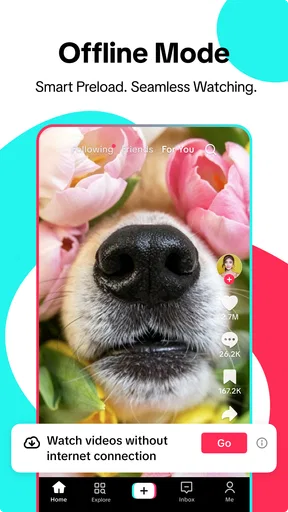
The promise behind the Lite edition is a more lightweight way to enjoy TikTok. In practice, I would judge that by whether it makes casual viewing feel more convenient on my device and in my routine, rather than assuming that “Lite” means every part of the experience behaves exactly like the full app. If you already use TikTok, the familiar short-video format makes the basic idea straightforward; if you do not, expect a stream designed for browsing rather than a conventional feed of written updates.
Its release was on December 6, 2024, and the current version is 47.4.51. It supports Android 5.0 and later, which gives it a broad range of Android compatibility. I would check the app store on my own device before switching, because compatibility alone does not guarantee that a particular phone will feel quick or that the Lite edition will match every habit I have built elsewhere.
How clips shape a conversation
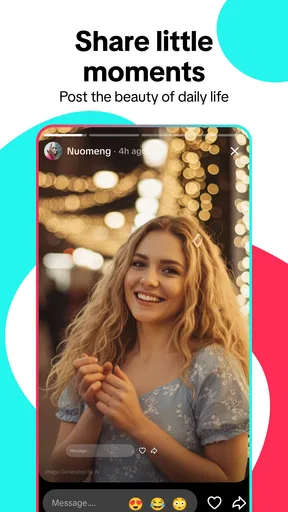
Short videos change the rhythm of social contact. A clip is a compact object to react to: I can share it, comment on it, or use it as a quick reference when talking with someone. That can lower the effort needed to start a casual exchange. It can also keep a conversation shallow if we trade clips without asking what the other person thinks or how their day is going. I find the format most useful when a video becomes a starting point, not the whole interaction.
One practical workflow is to treat browsing as discovery, then make a deliberate choice about what deserves a response. If I see something that genuinely reminds me of a friend, I can send it with a sentence explaining why rather than forwarding a stream of clips with no context. That small step makes the exchange clearer and less demanding for the recipient. It also helps me notice whether I am using the app to connect with someone or simply to keep the feed moving.
Another useful habit is to separate “I want to watch” from “I need to catch up with people.” When I open a short-video app because I want a laugh, I should not expect it to tell me whether a friend needs help or whether a group has made a plan. Checking messages first, then opening the feed if I still have time, protects the communication task from being displaced by entertaining content. It is a simple distinction, but it changes how much control the app has over my attention.
The attention cost of an easy feed
The strongest convenience is also the main friction: short clips are easy to start and easy to continue. A brief break can stretch when each video offers another reason to stay. This is not unique to TikTok Lite, but it is especially relevant to a product built around rapid viewing. I would not call that a flaw for everyone; sometimes effortless entertainment is exactly what I want. The problem is when the app becomes my automatic response to every quiet moment.
I get more value from deciding on a stopping point before I open it. For example, I might watch while waiting for a kettle or during a short ride, then put the phone away when the immediate task is done. That works better for me than relying on a vague promise to stop “soon.” If I am meant to be listening to someone, working through a task, or winding down before sleep, I would leave the feed closed. Its quick pace can make a few spare seconds feel productive while quietly breaking up attention.
There is a social cost to that pattern, too. A stream of clips can make it feel as though I am keeping up with people, even when I have not actually checked in with anyone. If I want closeness, I need to turn a moment of viewing into a message or a real conversation. If I only want background entertainment, it is fine to enjoy the feed for what it is, but I should not confuse that with maintaining a relationship.
Boundaries that make the app easier to live with
I would use TikTok Lite more intentionally by giving it a place in my day instead of letting it occupy every pause. Keeping it for a commute, a lunch break, or a short rest makes the choice visible. I would also avoid opening it while someone is talking to me; the constant availability of the next clip can make divided attention feel normal, even when it comes across as dismissive to the person nearby.
For parents or guardians, the Teen age classification is relevant, but it does not settle the question of whether a particular young person should use it. A helpful approach is to talk about when viewing fits, what kinds of clips feel uncomfortable, and how to respond when content or interaction does not feel right. I would make those expectations practical and specific rather than treating the label as a complete safety plan.
People who are sensitive to time loss may prefer a less absorbing way to keep up with friends, such as a messaging app or a social service centred on posts and replies. Those alternatives may ask for more effort, but that can be a benefit: a deliberate message has a clearer beginning and end than an open-ended stream. On the other hand, if you enjoy discovering short videos and do not mind setting your own limits, Lite’s format can make casual browsing feel less cumbersome.
Who should try it—and who should pass
I would recommend giving it a try if you already enjoy TikTok-style videos, want a lighter route to that kind of browsing, and are comfortable treating the feed as entertainment rather than a complete social hub. It is also a reasonable option for someone who likes sharing a specific clip as a conversation starter, provided they still make time for direct replies and personal check-ins.
I would skip it if short-video feeds routinely pull you away from work, sleep, or the people around you, or if you want a calm, chronological way to catch up on friends’ lives. I would also choose another app if my priority were sustained discussion or organising plans. TikTok Lite is not a cure for fragmented attention; its value depends on whether I can keep the viewing habit inside boundaries that work for me.
Overall, I see it as a convenient, narrowly focused social app: good at putting short videos within easy reach, less suited to the slower work of maintaining close communication. I would install it for quick discovery and occasional sharing, then judge it by how it affects my day rather than by how much content it can show me. Used with a clear purpose, it can add a little entertainment and give friends a common topic. Used by default, it can turn every quiet moment into another scroll.
Pros and cons
Pros
- Uses less storage than the full TikTok app.
- Designed to run smoothly on slower networks.
- Short videos are quick to browse and share.
- A familiar TikTok-style feed makes it easy to navigate.
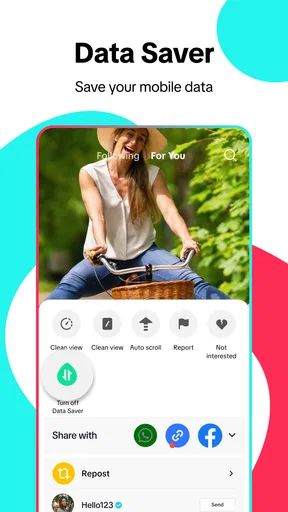
- Lower data use can help on limited mobile plans.
Cons
- Some features available in TikTok may be missing.
- Video quality may be reduced to save data.
- The feed can still encourage long browsing sessions.
- Availability and features can vary by region.
- The app may show ads and personalized recommendations.


